

SYNOPSIS
#include <agar/core.h>
#include <agar/gui.h>
DESCRIPTION
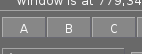 AG_Button is a push-button displaying a text label or an image.
It can trigger events and/or control a boolean value.
AG_Button is a push-button displaying a text label or an image.
It can trigger events and/or control a boolean value.
INHERITANCE HIERARCHY ↑
AG_Object(3)-> AG_Widget(3)-> AG_Button.
INTERFACE ↑
AG_Button * AG_ButtonNew (AG_Widget *parent, Uint flags, const char *format, ...)
AG_Button * AG_ButtonNewS (AG_Widget *parent, Uint flags, const char *label)
AG_Button * AG_ButtonNewFn (AG_Widget *parent, Uint flags, const char *label, void (*fn)(AG_Event *), const char *fnArgs, ...)
AG_Button * AG_ButtonNewInt (AG_Widget *parent, Uint flags, const char *label, int *p)
AG_Button * AG_ButtonNewUint (AG_Widget *parent, Uint flags, const char *label, Uint *p)
AG_Button * AG_ButtonNewFlag (AG_Widget *parent, Uint flags, const char *label, Uint *p, Uint bitmask)
void AG_ButtonSetInverted (AG_Button *button, int enable)
void AG_ButtonSetFocusable (AG_Button *button, int enable)
void AG_ButtonSetSticky (AG_Button *button, int enable)
void AG_ButtonJustify (AG_Button *button, enum ag_text_justify justify)
void AG_ButtonValign (AG_Button *button, enum ag_text_valign valign)
void AG_ButtonSetRepeatMode (AG_Button *button, int enable)
void AG_ButtonSurface (AG_Button *button, const AG_Surface *su)
void AG_ButtonSurfaceNODUP (AG_Button *button, AG_Surface *su)
void AG_ButtonText (AG_Button *button, const char *format, ...)
void AG_ButtonTextS (AG_Button *button, const char *label)
int AG_ButtonGetState (AG_Button *button)
int AG_ButtonSetState (AG_Button *button, int stateNew)
int AG_ButtonToggle (AG_Button *button)
The AG_ButtonNew() function allocates, initializes, and attaches an AG_Button. If label is non-NULL, it sets the initial text label. For a list of acceptable option flags refer to BUTTON FLAGS below.
The AG_ButtonNewFn() variant creates a button and also specifies a callback routine to run whenever it is pressed. Contrary to AG_ButtonNew(), it implies AG_BUTTON_EXCL (unless AG_BUTTON_NOEXCL is passed).
The AG_ButtonNewInt() shorthand creates a button and also sets its state binding to the natural integer at memory location p.
The AG_ButtonNewFlag() shorthand creates a button and also sets its state binding to the value of the bit(s) indicated by bitmask contained within the natural integer at memory location p.
AG_ButtonSetInverted() inverts the interpretation of the "state" binding (sets the AG_BUTTON_INVERTED flag).
AG_ButtonSetFocusable() sets whether the button is allowed to receive focus (0 = No, 1 = Yes). Default is Yes (see AG_WidgetFocus(3)).
AG_ButtonSetSticky() sets the behavior of the button when pressed (0 = Momentary, 1 = Sticky). In Momentary mode, the button springs back to its former state when released. Default is Sticky.
AG_ButtonJustify() sets the justification mode for the text label. The justify argument can be AG_TEXT_LEFT, AG_TEXT_CENTER or AG_TEXT_RIGHT.
AG_ButtonValign() sets the vertical alignment for the text label. The valign argument can be AG_TEXT_TOP, AG_TEXT_MIDDLE or AG_TEXT_BOTTOM.
AG_ButtonSetRepeatMode() enables or disables Repeat mode. Repeat mode causes multiple button-pushed events to be posted periodically for as long as the button is triggered (with an interval of agMouseSpinIval ms).
AG_ButtonSurface() sets the button label to a copy of the given surface. AG_ButtonSurfaceNODUP() uses the given surface as source without copying (potentially unsafely). If a label is currently set, it is replaced.
AG_ButtonText() sets the label of the button from the specified text string. If a surface is currently set, it is removed.
AG_ButtonGetState() returns the current boolean state of the button (1 = pressed, 0 = released). AG_ButtonSetState() sets the state to stateNew and returns the previous state. AG_ButtonToggle() atomically toggles the state of the button and returns the new state.
BUTTON FLAGS ↑
The following
flags are provided:
| AG_BUTTON_CROP | Crop the label surface to fit rendered text contents. Useful for condensing or removing typographical spacings so that individual glyphs (for example "Geometrical Shapes") can be aligned precisely inside widget controls. |
| AG_BUTTON_STICKY | Prevent the button from springing back to its previous state following a click. Set on initialization or by AG_ButtonSetSticky(). |
| AG_BUTTON_MOUSEOVER | The cursor is over the button area (read-only). |
| AG_BUTTON_REPEAT | Repeat mode is enabled (read-only, see AG_ButtonSetRepeatMode()). |
| AG_BUTTON_PRESSING | The button is being activated (read-only). |
| AG_BUTTON_SET | Set "state" to 1 when the button becomes visible. |
| AG_BUTTON_INVERTED | Invert the interpretation of the "state" binding (Default: 0=Released, 1=Pressed). |
| AG_BUTTON_EXCL | Disable the test for redrawing the button upon external changes to the "state" binding. |
| AG_BUTTON_NO_FOCUS | Cannot gain focus (see AG_WidgetSetFocusable(3)). |
| AG_BUTTON_HFILL | Expand horizontally in parent container. |
| AG_BUTTON_VFILL | Expand vertically in parent container. |
| AG_BUTTON_EXPAND | Shorthand for both AG_BUTTON_HFILL and AG_BUTTON_VFILL. |
| AG_BUTTON_ALIGN_LEFT | Horizontally align to the left. |
| AG_BUTTON_ALIGN_CENTER | Center horizontally (the default). |
| AG_BUTTON_ALIGN_LEFT | Horizontally align to the right. |
| AG_BUTTON_VALIGN_TOP | Vertically align to the top. |
| AG_BUTTON_VALIGN_MIDDLE | Vertically align to the middle (the default). |
| AG_BUTTON_VALIGN_BOTTOM | Vertically align to the bottom. |
EVENTS ↑
The
AG_Button widget generates the following events:
| button-pushed (int new_state) | The button was pressed. If using AG_BUTTON_STICKY, the new_state argument indicates the new state of the button. |
BINDINGS ↑
The
AG_Button widget provides the following bindings.
In all cases, a value of 1 is considered boolean TRUE, and a value of 0
is considered boolean FALSE.
| BOOL *state | Value (1/0) of natural integer |
| INT *state | Value (1/0) of natural integer |
| UINT *state | Value (1/0) of natural integer |
| UINT8 *state | Value (1/0) of 8-bit integer |
| UINT16 *state | Value (1/0) of 16-bit integer |
| UINT32 *state | Value (1/0) of 32-bit integer |
| FLAGS *state | Bits in an int |
| FLAGS8 *state | Bits in 8-bit word |
| FLAGS16 *state | Bits in 16-bit word |
| FLAGS32 *state | Bits in 32-bit word |
EXAMPLES ↑
The following code fragment creates a button and sets a handler function
for the
button-pushed event:
The following code fragment uses buttons to control specific bits in a 32-bit word:
The following code fragment uses a button to control an int protected by a mutex device:
void
MyHandlerFn(AG_Event *event)
{
	AG_TextMsg(AG_MSG_INFO, "Hello, %s!", AG_STRING(1));
}

...

AG_ButtonNewFn(parent, 0, "Hello", MyHandlerFn, "%s", "world");
The following code fragment uses buttons to control specific bits in a 32-bit word:
Uint32 MyFlags = 0;

AG_ButtonNewFlag32(parent, 0, "Bit 1", &MyFlags, 0x01);
AG_ButtonNewFlag32(parent, 0, "Bit 2", &MyFlags, 0x02);
The following code fragment uses a button to control an int protected by a mutex device:
int MyInt = 0;
AG_Mutex MyMutex;
AG_Button *btn;

AG_MutexInit(&MyMutex);
btn = AG_ButtonNew(parent, 0, "Mutex-protected flag");
AG_BindIntMp(btn, "state", &MyInt, &MyMutex);
SEE ALSO ↑
HISTORY ↑
The
AG_Button widget first appeared in
Agar 1.0.
As of
Agar 1.6.0 the
AG_ButtonSetPadding() call is now deprecated (replaced by
AG_SetStyle(3) with "padding" attribute).
Agar 1.6.0 also introduced
AG_BUTTON_SET.