

SYNOPSIS
#include <agar/core.h>
#include <agar/gui.h>
DESCRIPTION
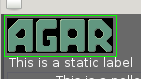 The
AG_Pixmap widget displays an image in pixmap format.
It is commonly used along with
AG_Fixed(3) to display interface decorations.
The
AG_Pixmap widget displays an image in pixmap format.
It is commonly used along with
AG_Fixed(3) to display interface decorations.
Multiple images may be associated with an AG_Pixmap instance. Animation can be done by mapping frames with AG_PixmapAddSurface() and calling AG_PixmapSetSurface() from an AG_Timer(3) callback or a separate thread.
INHERITANCE HIERARCHY ↑
AG_Object(3)-> AG_Widget(3)-> AG_Pixmap.
INITIALIZATION ↑
AG_Pixmap * AG_PixmapNew (AG_Widget *parent, Uint flags, Uint width, Uint height)
AG_Pixmap * AG_PixmapFromSurface (AG_Widget *parent, Uint flags, const AG_Surface *src)
AG_Pixmap * AG_PixmapFromSurfaceScaled (AG_Widget *parent, Uint flags, const AG_Surface *src, Uint width, Uint height)
AG_Pixmap * AG_PixmapFromSurfaceNODUP (AG_Widget *parent, Uint flags, AG_Surface *src)
AG_Pixmap * AG_PixmapFromFile (AG_Widget *parent, Uint flags, const char *path)
AG_Pixmap * AG_PixmapFromTexture (AG_Widget *parent, Uint flags, GLuint texture, int lod)
The AG_PixmapNew() function creates a new AG_Pixmap not linked to any surface. The initial geometry of the widget is defined by the width and height parameters. Acceptable flags include:
| AG_PIXMAP_RESCALE | Rescale image to fit widget size. |
| AG_PIXMAP_HFILL | Expand horizontally in parent container. |
| AG_PIXMAP_VFILL | Expand vertically in parent container. |
| AG_PIXMAP_EXPAND | Shorthand for AG_PIXMAP_HFILL AG_PIXMAP_VFILL|. |
The AG_PixmapFromSurface() function creates a new AG_Pixmap widget displaying a copy of the specified surface. A pixel-format conversion is performed if necessary. If the src argument is NULL, an empty surface is displayed. The AG_PixmapFromSurfaceScaled() variant resizes the image to the given dimensions.
The AG_PixmapFromSurfaceNODUP() variant uses the specified surface without making a copy. The provided surface must remain valid as long as the widget exists, and it must be in a format that can be displayed directly (such as agSurfaceFmt).
The AG_PixmapFromFile() function loads a surface from the image file at path (image type is autodetected).
AG_PixmapFromTexture() may be used to display an active hardware texture. lod specifies the level-of-detail of the texture (level 0 is the base image level). If OpenGL support is not available, an error is returned.
CHANGING SURFACES ↑
int AG_PixmapAddSurface (AG_Pixmap *pixmap, const AG_Surface *surface)
int AG_PixmapAddSurfaceScaled (AG_Pixmap *pixmap, const AG_Surface *surface, Uint width, Uint height)
int AG_PixmapAddSurfaceFromFile (AG_Pixmap *pixmap, const char *path)
void AG_PixmapSetSurface (AG_Pixmap *pixmap, int surface_name)
AG_Surface * AG_PixmapGetSurface (AG_Pixmap *pixmap, int surface_name)
void AG_PixmapReplaceSurface (AG_Pixmap *pixmap, int surface_name, AG_Surface *surfaceNew)
void AG_PixmapUpdateSurface (AG_Pixmap *pixmap, int surface_name)
void AG_PixmapSizeHint (AG_Pixmap *pixmap, int w, int h)
void AG_PixmapSetCoords (AG_Pixmap *pixmap, int s, int t)
The AG_PixmapAddSurface() functions maps a copy of the specified surface. AG_PixmapAddSurfaceScaled() maps a copy of the given surface, resized to width by height pixels. AG_PixmapAddSurfaceFromFile() maps a surface obtained from an image file (format is autodetected).
AG_PixmapSetSurface() changes the currently displayed surface (see n in STRUCTURE DATA). The argument should be the handle of one of the surfaces previously mapped with AG_PixmapAddSurface().
The AG_PixmapGetSurface() returns a copy of the surface at given index (if the index is invalid then a fatal condition is raised).
The AG_PixmapReplaceSurface() routine replaces the contents of the specified surface mapping.
If the contents of a currently mapped surface are directly modified, AG_PixmapUpdateSurface() should be called. This routine may or may not be a no-op depending on the graphics mode.
AG_PixmapSizeHint() requests a specific geometry in pixels. The default geometry is that of the source surface passed to the constructor.
The AG_PixmapSetCoords() function changes the source coordinates of the active surface. The default is [0,0].
EVENTS ↑
The
AG_Pixmap widget does not generate any event.
STRUCTURE DATA ↑
For the
AG_Pixmap object:
| int n | Handle of currently displayed surface (-1 = none). |
| int s, t | Source surface coordinates. Can be set using AG_PixmapSetCoords(). |
EXAMPLES ↑
The following code fragment displays an existing
AG_Surface(3). It packs
AG_Pixmap in a
AG_Scrollview(3) widget, allowing the user to pan the view:
The following code fragment displays some image files:
The following code fragment loads 30 frames in JPEG format:
Running from a separate thread, the following code fragment would play back the animation:
AG_Scrollview *sv;
AG_Pixmap *px;

sv = AG_ScrollviewNew(window, AG_SCROLLVIEW_BY_MOUSE |
                              AG_SCROLLVIEW_EXPAND);

px = AG_PixmapFromSurface(sv, 0, mySurface);
The following code fragment displays some image files:
AG_PixmapFromFile(sv, 0, "foo.png");
AG_PixmapFromFile(sv, 0, "bar.jpg");
The following code fragment loads 30 frames in JPEG format:
char path[AG_FILENAME_MAX];
AG_Pixmap *px;
int frames[30];
int i;

px = AG_PixmapNew(win, 0, 320,240);
for (i = 0; i < 30; i++) {
	AG_Snprintf(path, sizeof(path), "%08d.jpg", i);
	frames[i] = AG_PixmapAddSurfaceFromFile(px, path);
}
Running from a separate thread, the following code fragment would play back the animation:
for (i = 0; i < 30; i++) {
	AG_PixmapSetSurface(px, frames[i]);
	AG_Delay(10);
}
SEE ALSO ↑
AG_Fixed(3), AG_Intro(3), AG_Scrollview(3), AG_Surface(3), AG_View(3), AG_Widget(3), AG_Window(3)
See tests/fixedres.c in the Agar source distribution.
See tests/fixedres.c in the Agar source distribution.
HISTORY ↑
The
AG_Pixmap widget first appeared in
Agar 1.0.
AG_PixmapGetSurface() appeared in
Agar 1.6.0.