

SYNOPSIS
#include <agar/core.h>
#include <agar/gui.h>
DESCRIPTION
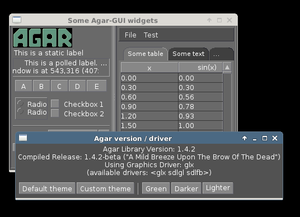 The
AG_Window object describes an Agar window, the base container for Agar widgets.
The
AG_Widget(3) objects form a tree structure attached to a parent
AG_Window. Agar windows are attached to a parent
AG_Driver(3) which provides a bridge between the Agar GUI system and the user's preferred
graphics platform / backend.
The
AG_Window object describes an Agar window, the base container for Agar widgets.
The
AG_Widget(3) objects form a tree structure attached to a parent
AG_Window. Agar windows are attached to a parent
AG_Driver(3) which provides a bridge between the Agar GUI system and the user's preferred
graphics platform / backend.
Widgets can be attached to the AG_Window object itself (it will behave like a standard, vertical AG_Box(3)). Agar's standard toolkit includes a variety of other container widgets, such as AG_Box(3), AG_Fixed(3), AG_Pane(3), AG_Notebook(3) and AG_Scrollview(3).
The dimensions of new Agar windows is best determined automatically (using recursive widget size requests which take resolution, font sizes, etc. into account). Agar widgets are expected to set a proper default size whenever it can be determined automatically, or otherwise provide a suitable application-level API for "size hints".
Newly created windows must be made visible by calling AG_WindowShow().
Windows are destroyed by a single call to AG_ObjectDetach(3). This effectively puts the window in a garbage-collection queue (to be freed later at the end of the current event-processing cycle).
INHERITANCE HIERARCHY ↑
AG_Object(3)-> AG_Widget(3)-> AG_Window.
INTERFACE ↑
AG_Window * AG_WindowNew (Uint flags)
AG_Window * AG_WindowNewNamed (Uint flags, const char *format, ...)
AG_Window * AG_WindowNewNamedS (Uint flags, const char *name)
AG_Window * AG_WindowNewUnder (AG_Driver *drv, Uint flags)
void AG_WindowSetCaption (AG_Window *win, const char *format, ...)
void AG_WindowSetCaptionS (AG_Window *win, const char *text)
void AG_WindowSetIcon (AG_Window *win, AG_Surface *surface)
void AG_WindowSetCloseAction (AG_Window *win, AG_WindowCloseAction action)
void AG_WindowSetSideBorders (AG_Window *win, int pixels)
void AG_WindowSetBottomBorder (AG_Window *win, int pixels)
void AG_WindowSetPosition (AG_Window *win, enum ag_window_alignment alignment, int tiling)
int AG_WindowMove (AG_Window *win, int xRel, int yRel)
void AG_WindowSetGeometry (AG_Window *win, int x, int y, int w, int h)
void AG_WindowSetGeometryRect (AG_Window *win, AG_Rect rect, int bounded)
void AG_WindowSetGeometryAligned (AG_Window *win, enum ag_window_alignment alignment, int w, int h)
void AG_WindowSetGeometryAlignedPct (AG_Window *win, enum ag_window_alignment alignment, int wPct, int hPct)
void AG_WindowSetGeometryMax (AG_Window *win)
void AG_WindowSetMinSize (AG_Window *win, int w, int h)
void AG_WindowSetMinSizePct (AG_Window *win, int pct)
int AG_WindowSetOpacity (AG_Window *win, float opacity)
void AG_WindowSetFadeIn (AG_Window *win, float fadeTime, float fadeIncr)
void AG_WindowSetFadeOut (AG_Window *win, float fadeTime, float fadeIncr)
void AG_WindowSetZoom (AG_Window *win, int zoomLvl)
void AG_ZoomIn (void)
void AG_ZoomOut (void)
void AG_ZoomReset (void)
void AG_WindowMaximize (AG_Window *win)
void AG_WindowUnmaximize (AG_Window *win)
void AG_WindowMinimize (AG_Window *win)
void AG_WindowUnminimize (AG_Window *win)
void AG_WindowAttach (AG_Window *winParent, AG_Window *winChld)
void AG_WindowDetach (AG_Window *winParent, AG_Window *winChld)
void AG_WindowMakeTransient (AG_Window *winParent, AG_Window *winTrans)
void AG_WindowPin (AG_Window *winParent, AG_Window *winToPin)
void AG_WindowUnpin (AG_Window *win)
void AG_WindowUpdate (AG_Window *win)
The AG_WindowNew() function creates a new Agar window using the default AG_Driver(3). It returns a pointer to the newly created AG_Window on success, or NULL on failure. See the FLAGS section below for a description of the available flags options.
If the default driver is a single-window driver then AG_WindowNew() attaches the newly created AG_Window to its AG_Driver instance. If the default driver is a multiple-window driver, one unique AG_Driver instance is created and assigned to each window.
The AG_WindowNewNamed() variant creates an Agar window with a unique name identifier. If a window of the same name exists then AG_WindowNewNamed() moves the focus to the existing window and returns NULL. The name may contain any printable character, except " / ".
The AG_WindowNewUnder() variant creates a new window and attaches it to an alternate AG_Driver(3) instance drv.
AG_WindowSetCaption() sets the title text (shown on the titlebar).
AG_WindowSetIcon() sets a custom icon for the window when iconified. It will be used by Agar's internal WM in single-window mode. It may be used by some multi-window drivers that support the feature.
AG_WindowSetCloseAction() sets the action to perform on "window-close":
| AG_WINDOW_DETACH | Destroy the window. Default for anonymous windows. |
| AG_WINDOW_HIDE | Just hide the window. Default for named windows. |
| AG_WINDOW_IGNORE | Ignore the close request. |
To perform a different action, a custom event handler routine can be set for the "window-close" event (see the EVENTS section).
AG_WindowSetSideBorders() sets the thickness of the left and right window borders in pixels. AG_WindowSetBottomBorder() sets the thickness of the bottom border. The default for side borders is 0 (no side borders). If the win argument is NULL then set global defaults to the given values.
AG_WindowSetPosition() defines an initial alignment for the window with respect to the desktop. Allowed values for alignment include:
 AG_WINDOW_TL  AG_WINDOW_TC  AG_WINDOW_TR
 AG_WINDOW_ML  AG_WINDOW_MC  AG_WINDOW_MR
 AG_WINDOW_BL  AG_WINDOW_BC  AG_WINDOW_BR
or the special value AG_WINDOW_ALIGNMENT_NONE, which lets the window manager choose a default position (the default). If tiling is 1 then AG_WindowSetPosition() sets the AG_WINDOW_TILING flag such that the WM will attempt to avoid overlap between windows (see FLAGS section).
AG_WindowMove() moves the window to a new position xRel, yRel relative to the window's current position.
AG_WindowSetGeometry() moves/resizes a window to the specific position and geometry, given in pixels. If a value of -1 is passed for w or h, the window's default (or current) geometry is preserved.
The AG_WindowSetGeometryRect() variant of AG_WindowSetGeometry() accepts a AG_Rect(3) argument. The bounded argument specifies whether the window should be limited to the available view area.
The AG_WindowSetGeometryAligned() variant assigns the window a specific size in pixels and positions it according to the specified window alignment (see description of AG_WindowSetPosition() for the possible values).
The AG_WindowSetGeometryAlignedPct() variant accepts an argument given in percent of current view area (as opposed to absolute pixel coordinates).
The AG_WindowSetGeometryMax() variant sets the geometry to the size of the display (without setting the AG_WINDOW_MAXIMIZED flag).
The AG_WindowSetMinSize() routine sets the minimum window size in pixels. AG_WindowSetMinSizePct() sets the minimum window size in percentage of the requested (computed) size.
AG_WindowSetOpacity() sets the overall per-window opacity (for compositing WMs). The argument can range from 0.0 (transparent) to 1.0 (opaque).
For windows with the AG_WINDOW_FADEIN or AG_WINDOW_FADEOUT flags, AG_WindowSetFadeIn() and AG_WindowSetFadeOut() can be used to configure the fade timing. During fade-in, the opacity will be repeatedly incremented by fadeIncr over a total period of fadeTime seconds.
AG_WindowSetZoom() sets the zoom level of the window (and any of its child windows with the AG_WINDOW_INHERIT_ZOOM option set).
The AG_ZoomIn(), AG_ZoomOut() and AG_ZoomReset() routines call AG_WindowSetZoom() to increase, decrease or reset the zoom level of the currently focused window. It is customary to assign AG_GlobalKeys(3) shortcuts to these routines.
AG_WindowMaximize() and AG_WindowMinimize() maximizes and minimizes the window, respectively. AG_WindowUnmaximize() and AG_WindowUnminimize() does the opposite.
The AG_WindowAttach() call makes winChld a child window dependent of winParent. Detaching the parent window will cause the child window to be detached implicitely. Child windows also inherit the style properties from their parent. AG_WindowDetach() removes winChld from winParent.
AG_WindowMakeTransient() registers winTrans as a dependent and transient window for winParent. The effects of transient window state are dependent on the underlying window system and window manager. Under Motif, transient windows have no titlebar buttons. Under TWM, transient windows are created without requesting that the user select an initial geometry. Detaching winParent will cause winTrans to be detached implicitely.
The AG_WindowPin() function "pins" winToPin to the parent window winParent. If the parent window is moved, the pinned window will be displaced along with it. AG_WindowUnpin() unpins the given window.
The AG_WindowUpdate() routine updates the coordinates and geometries of all widgets attached to win. This routine should be called following AG_ObjectAttach(3) or AG_ObjectDetach(3) calls made in event context, or manual modifications of the x, y, w, h fields of the AG_Window structure. See also: AG_WidgetUpdate(3).
DRIVER / EVENT LOOP INTERFACE ↑
The following calls are intended only for use by driver code and
custom event loops.
The standard
AG_EventLoop(3) invokes them internally.
void AG_WindowDraw (AG_Window *win)
void AG_WindowDrawQueued (void)
void AG_WindowProcessQueued (void)
AG_WindowDraw() renders window win (calling the renderWindow() method of its AG_Driver(3)). This should be called only from GUI rendering context (between calls to AG_BeginRendering(3) and AG_EndRendering(3)).
AG_WindowDrawQueued() redraws any window previously marked as dirty.
AG_WindowProcessQueued() processes any queued AG_ObjectDetach(3), AG_WindowShow(3) or AG_WindowHide(3) operation.
void AG_WindowDraw (AG_Window *win)
void AG_WindowDrawQueued (void)
void AG_WindowProcessQueued (void)
AG_WindowDraw() renders window win (calling the renderWindow() method of its AG_Driver(3)). This should be called only from GUI rendering context (between calls to AG_BeginRendering(3) and AG_EndRendering(3)).
AG_WindowDrawQueued() redraws any window previously marked as dirty.
AG_WindowProcessQueued() processes any queued AG_ObjectDetach(3), AG_WindowShow(3) or AG_WindowHide(3) operation.
VISIBILITY ↑
void AG_WindowShow (AG_Window *win)
void AG_WindowHide (AG_Window *win)
int AG_WindowIsVisible (AG_Window *win)
void AG_WindowLower (AG_Window *win)
void AG_WindowRaise (AG_Window *win)
AG_WindowShow() makes a window visible and broadcasts the "widget-shown" event to win and its children.
AG_WindowHide() makes a window invisible and broadcasts the "widget-hidden" event to win and its children.
Note that AG_WindowHide() keeps the window and its resources in memory. To destroy a window and release its resources, one should use AG_ObjectDetach(3).
AG_WindowIsVisible() returns the current visibility status of a window. A value of 0 means the window is invisible, 1 means it is visible.
AG_WindowLower() lowers the window to the bottom of the stack.
AG_WindowRaise() raises the window to the top of the stack so that it is not obscured by other sibling windows.
FOCUS STATE ↑
The focus state controls the default filtering of events as well as the
behavior and cosmetic appearance of some widgets.
See the
FOCUS STATE section of
AG_Widget(3) for details.
void AG_WindowFocus (AG_Window *win)
int AG_WindowFocusNamed (const char *name)
int AG_WindowFocusAtPos (AG_DriverSw *drv, int x, int y)
AG_Window * AG_WindowFind (const char *name)
AG_Window * AG_WindowFindFocused (void)
int AG_WindowIsFocused (AG_Window *win)
void AG_WindowCycleFocus (AG_Window *win, int reverse)
void AG_CloseFocusedWindow (void)
AG_WindowFocus() focuses on window win. A window-gainfocus event is posted to the window object after the focus change has occurred. If the currently focused window has the AG_WINDOW_KEEPABOVE flag set then this is a no-op. If an argument of NULL is given, then the previous request for focus change (if any) will be cancelled.
AG_WindowFocusNamed() calls AG_WindowFocus() on the window of the given name and returns 0 on success or -1 if the window was not found.
AG_WindowFocusAtPos() looks for a window at the specified coordinates in pixels, in the video display associated with the given single-display driver drv (see AG_DriverSw(3)). If a window is found, AG_WindowFocus() is called on it and 1 is returned. Otherwise, 0 is returned.
AG_WindowFind() searches all AG_Driver(3) instances for a named window a returns a pointer to it on success or NULL if none was found.
AG_WindowFindFocused() returns a pointer to the window currently holding input focus, or NULL if there are none. AG_WindowIsFocused() returns 1 if the window is currently holding focus, otherwise 0.
AG_WindowCycleFocus() places the focus over the widget following (or preceeding if reverse is 1) the widget currently holding focus inside of win. By default, Agar maps the TAB key to this function. The agDrivers VFS must be locked.
The AG_CloseFocusedWindow() routine requests closure of the currently focused window, if any.
void AG_WindowFocus (AG_Window *win)
int AG_WindowFocusNamed (const char *name)
int AG_WindowFocusAtPos (AG_DriverSw *drv, int x, int y)
AG_Window * AG_WindowFind (const char *name)
AG_Window * AG_WindowFindFocused (void)
int AG_WindowIsFocused (AG_Window *win)
void AG_WindowCycleFocus (AG_Window *win, int reverse)
void AG_CloseFocusedWindow (void)
AG_WindowFocus() focuses on window win. A window-gainfocus event is posted to the window object after the focus change has occurred. If the currently focused window has the AG_WINDOW_KEEPABOVE flag set then this is a no-op. If an argument of NULL is given, then the previous request for focus change (if any) will be cancelled.
AG_WindowFocusNamed() calls AG_WindowFocus() on the window of the given name and returns 0 on success or -1 if the window was not found.
AG_WindowFocusAtPos() looks for a window at the specified coordinates in pixels, in the video display associated with the given single-display driver drv (see AG_DriverSw(3)). If a window is found, AG_WindowFocus() is called on it and 1 is returned. Otherwise, 0 is returned.
AG_WindowFind() searches all AG_Driver(3) instances for a named window a returns a pointer to it on success or NULL if none was found.
AG_WindowFindFocused() returns a pointer to the window currently holding input focus, or NULL if there are none. AG_WindowIsFocused() returns 1 if the window is currently holding focus, otherwise 0.
AG_WindowCycleFocus() places the focus over the widget following (or preceeding if reverse is 1) the widget currently holding focus inside of win. By default, Agar maps the TAB key to this function. The agDrivers VFS must be locked.
The AG_CloseFocusedWindow() routine requests closure of the currently focused window, if any.
MISCELLANEOUS ↑
AG_About() generates an "About Agar GUI" dialog box with copyright information for the Agar GUI library and core fonts (from gui/license.txt).
AG_ViewCapture() is only available with single-window drivers. It dumps the contents of the display surface to ~/.<progname>/screenshot/.
STRUCTURE DATA ↑
For the
AG_Window object:
| Uint flags | Option flags (see FLAGS section below). |
| int wmType | Window manager hint describing window function (see WINDOW MANAGER HINTS below). |
| int visible | Visibility flag (1 = visible, 0 = hidden). Read-only (see AG_WindowShow() and AG_WindowHide()). |
| int dirty | Redraw flag. If set to 1, the window will be redrawn as soon as possible. |
| AG_Titlebar *tbar | Pointer to the associated AG_Titlebar(3) widget, or NULL if the window has no titlebar. Read-only. |
| int wReq, hReq | Ideal window geometry in pixels, as last computed from the size_request() operation of its attached widgets. Read-only (see AG_WidgetSizeReq(3)). |
| int wMin, hMin | Suggested minimum window geometry in pixels. Read-only (use AG_WindowSetMinSize()). |
| AG_Window *parent | Pointer to parent window, or NULL if there isn't any. Read-only (see AG_WindowAttach() and AG_WindowDetach()). |
| TAILQ subwins | List of dependent child windows. Read-only (see AG_WindowAttach() and AG_WindowDetach()). |
| AG_Icon *icon | Pointer to the floating AG_Icon(3) object if we are using Agar's internal window manager, NULL otherwise. Read-only. |
WINDOW MANAGER HINTS ↑
The
wmType field of
AG_Window hints at the function of the window.
This setting is used by underlying WMs to tweak window appearance and behavior
details.
The values correspond to those specified in Extended Window Manager Hints
(EWMH) version 1.4.
enum ag_window_wm_type {
	AG_WINDOW_WM_NORMAL,        /* Normal, top-level window */
	AG_WINDOW_WM_DESKTOP,       /* Desktop feature */
	AG_WINDOW_WM_DOCK,          /* Dock or panel feature */
	AG_WINDOW_WM_TOOLBAR,       /* Toolbar torn off from main window */
	AG_WINDOW_WM_MENU,          /* Pinnable menu window */
	AG_WINDOW_WM_UTILITY,       /* Persistent utility window (e.g.,
	                               a palette or a toolbox). */
	AG_WINDOW_WM_SPLASH,        /* Introductory splash screen */
	AG_WINDOW_WM_DIALOG,        /* Dialog window */
	AG_WINDOW_WM_DROPDOWN_MENU, /* Menubar-triggered drop-down menu */
	AG_WINDOW_WM_POPUP_MENU,    /* Contextual popup menu */
	AG_WINDOW_WM_TOOLTIP,       /* Mouse hover triggered tooltip */
	AG_WINDOW_WM_NOTIFICATION,  /* Notification bubble */
	AG_WINDOW_WM_COMBO,         /* Combo-box triggered window */
	AG_WINDOW_WM_DND            /* Draggable object */
};
FLAGS ↑
For the
AG_Window object:
| AG_WINDOW_MODAL | Place window in foreground and prevent other windows from receiving input events until the modal window is closed. If the modal window is transient (see AG_WindowMakeTransient()), then it is modal for its parent window, otherwise it is application-modal. |
| AG_WINDOW_KEEPABOVE | Stay on top of other windows. |
| AG_WINDOW_KEEPBELOW | Stay below other windows. |
| AG_WINDOW_MAIN | Break from AG_EventLoop(3) if this window gets destroyed. Multiple windows may set this flag, in which case the break will occur whenever the last window is closed. |
| AG_WINDOW_INHERIT_ZOOM | Inherit the zoom level from the parent window. See AG_WindowSetZoom(). |
| AG_WINDOW_DENYFOCUS | Don't automatically grab focus in response to a mouse-button-down event in the window area. |
| AG_WINDOW_TILING | If no explicit window position is specified, choose a default position using a tiling WM algorithm which honors the preferred window alignment and attempts to avoid overlap with other tiling windows. Non-tiling windows are ignored. |
| AG_WINDOW_FADEIN | Enable smooth fade-in for compositing WM. |
| AG_WINDOW_FADEOUT | Enable smooth fade-out for compositing WM (only applies to hide operation, not detach). |
| AG_WINDOW_NOTITLE | Create a window without a titlebar. Under some WMs, this may imply AG_WINDOW_NOBORDERS. |
| AG_WINDOW_NOBORDERS | Don't draw decorative window borders. Under some WMs, this may imply AG_WINDOW_NOTITLE. |
| AG_WINDOW_PLAIN | Create a completely undecorated window (alias for AG_WINDOW_NOTITLE and AG_WINDOW_NOBORDERS). |
| AG_WINDOW_NOHRESIZE | Disable horizontal window resize control. |
| AG_WINDOW_NOVRESIZE | Disable vertical window resize control. |
| AG_WINDOW_NORESIZE | Alias for AG_WINDOW_NO[HV]RESIZE. |
| AG_WINDOW_NOCLOSE | Disable window close button in titelbar. |
| AG_WINDOW_NOMINIMIZE | Disable minimize button in titlebar. |
| AG_WINDOW_NOMAXIMIZE | Disable maximize button in titlebar. |
| AG_WINDOW_NOBUTTONS | Alias for AG_WINDOW_NOCLOSE, AG_WINDOW_NOMINIMIZE and AG_WINDOW_NOMAXIMIZE. |
| AG_WINDOW_HMAXIMIZE | Keep window scaled to the display width. |
| AG_WINDOW_VMAXIMIZE | Keep window scaled to the display height. |
| AG_WINDOW_NOMOVE | User is not allowed to move the window. |
| AG_WINDOW_NOBACKGROUND | Don't fill the window background prior to rendering its contents. |
| AG_WINDOW_NOUPDATERECT | Disable automatic updates of the video region covering the window area (for single-window, framebuffer-based graphics drivers only). |
| AG_WINDOW_NOCURSORCHG | Deny any cursor change requested by widgets attached to this window. This flag is automatically set whenever a window hidden, and cleared a window is made visible. |
| AG_WINDOW_MAXIMIZED | Window is currently maximized (read-only). |
| AG_WINDOW_MINIMIZED | Window is currently minimized (read-only). |
EVENTS ↑
The GUI system may send
AG_Window objects the following events:
| window-close (void) | Request to close the window. For anonymous windows created by AG_WindowNew(), the default is to Detach (and destroy). For named windows, the default is to Hide. The request can also be ignored. It is safe to create new windows in from a "window-close" handler. See: AG_WindowSetCloseAction(). |
| window-shown (void) | The window is now visible. See: AG_WindowShow(). |
| window-hidden (void) | The window is no longer visible. See: AG_WindowHide(). |
| window-enter (void) | The cursor has entered the window area. |
| window-leave (void) | The cursor has left the window area. |
EXAMPLES ↑
The following code fragment creates an Agar window containing a label
and a row of buttons.
It will be positioned and dimensioned automatically:
The following code fragment creates an empty Agar window with a green background, centers it and sets an explicit size of 320x240:
The following code fragment arranges for MyDetachHandler() to run whenever a window is about to be destroyed:
AG_Window *win;
AG_Box *box;

win = AG_WindowNew(0);
AG_LabelNew(win, 0, "Hello!");
box = AG_BoxNewHoriz(win, AG_BOX_EXPAND);
{
	AG_ButtonNew(box, 0, "Foo");
	AG_ButtonNew(box, 0, "Bar");
	AG_ButtonNew(box, 0, "Baz");
}
AG_WindowShow(win);
The following code fragment creates an empty Agar window with a green background, centers it and sets an explicit size of 320x240:
AG_Window *win;

win = AG_WindowNew(0);
AG_SetStyle(win, "background-color", "green");
AG_WindowSetGeometryAligned(win, AG_WINDOW_MC, 320, 240);
AG_WindowShow(win);
The following code fragment arranges for MyDetachHandler() to run whenever a window is about to be destroyed:
static void
MyDetachHandler(AG_Event *event)
{
	AG_Window *win = AG_WINDOW_SELF();

	AG_Verbose("Window %s is being detached\n", AGOBJECT(win)->name);

	/* Free some resources */
}

AG_Window *win;

win = AG_WindowNew(0);
AG_LabelNew(win, 0, "Close me!");
AG_AddEvent(win, "detached", MyDetachHandler, NULL);
AG_WindowShow(win);
SEE ALSO ↑
AG_Color(3), AG_Cursor(3), AG_Driver(3), AG_DriverMw(3), AG_DriverSw(3), AG_Icon(3), AG_InitGraphics(3), AG_Intro(3), AG_KeySym(3), AG_KeyMod(3), AG_MouseButton(3), AG_Rect(3), AG_StyleSheet(3), AG_Surface(3), AG_Text(3), AG_Widget(3)
HISTORY ↑
The
AG_Window system first appeared in
Agar 1.0.
In
Agar 1.6.0, the
AG_WindowFind() call was added and
AG_WindowNewSw() was renamed
AG_WindowNewUnder(). AG_WindowSetPadding() and
AG_WindowSetSpacing() were deprecated in favor of the "padding" and "spacing" style attributes.